

Access management
Stay in control
of your meetings
Effective management of access and permissions in Tixeo meetings limits intrusions and protects your sensitive communications and data.
Talk to an expertOnly your guests can participate in the discussion
Your online meetings often involve sensitive business information. Make sure every participant’s identity is verified.
Adapt the security level with profiles
With Tixeo video conferencing, CSPN-certified by ANSSI,
you can customise the security level of your meetings without complex configuration, thanks to security profiles.
Objective: strengthen the protection of access and data.
 |
With security profiles, configure different types of meeting by defining for each one:
When you create a meeting, simply choose the appropriate profile. |
 |
Security profiles are created and configured by the profile manager for each organisation. The meeting organiser has nothing to set up: they simply choose the profile that matches the sensitivity level of their meeting. |
 |
Profiles can be based on standard security levels (from Level 1 Public to Level 5 Top Secret) or on the organisation's internal classification. Examples:
|
Security profiles
With security profiles, configure different types of meeting by defining for each one:
- access conditions (Tixeo account creation or access via web browser),
- features to enable (screen sharing, recording, etc.),
- and the communication infrastructure used (geographical area or internal gateways).
When you create a meeting, simply choose the appropriate profile.
Profile configuration
Security profiles are created and configured by the profile manager for each organisation. The meeting organiser has nothing to set up: they simply choose the profile that matches the sensitivity level of their meeting.
Profile examples
Profiles can be based on standard security levels (from Level 1 Public to Level 5 Top Secret) or on the organisation’s internal classification. Examples:
- for a “Level 2 – Internal” profile, screen sharing, recording and web access could be enabled.
- for a “Level 4 – Restricted” profile, it is preferable to limit access to authenticated members only, on an internal server, and without enabling recording.
Which profiles for which meetings?
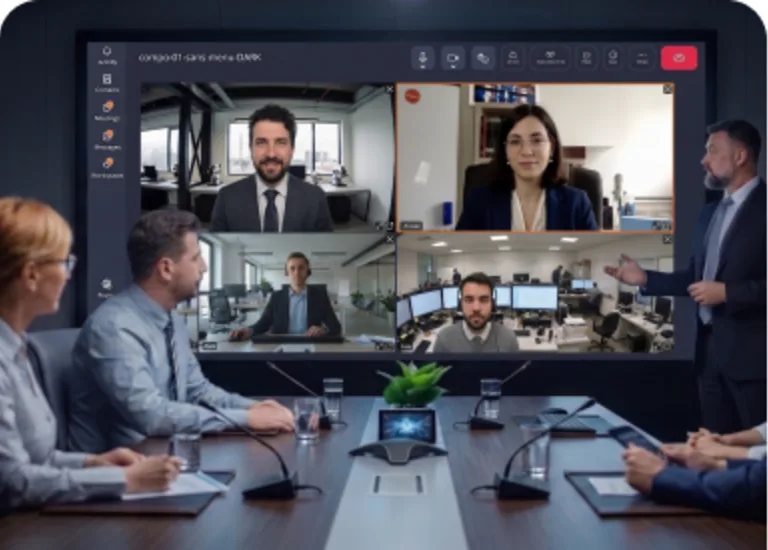
Executive Committee, Board of Directors
For high-stakes meetings, restrict access to authenticated members only, disable screen sharing, and force routing through internal servers.
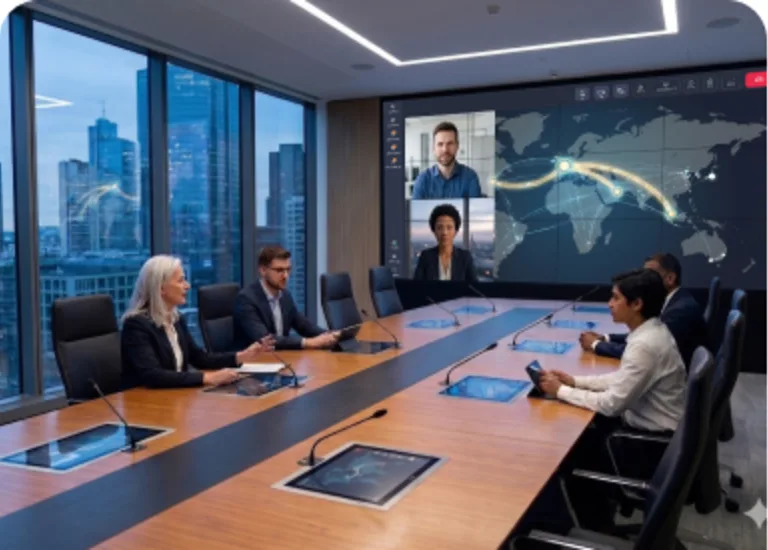
International subsidiary coordination and steering
For multi-site team meetings, select the corresponding local gateways: you enhance stream quality while ensuring your data remains within authorized perimeters.

Interviews, financial audits, provider follow-ups
For meetings with external partners, authorize web access via PIN code and adjust the features available during the session (recording, screen sharing, etc.).
Each access request is verified
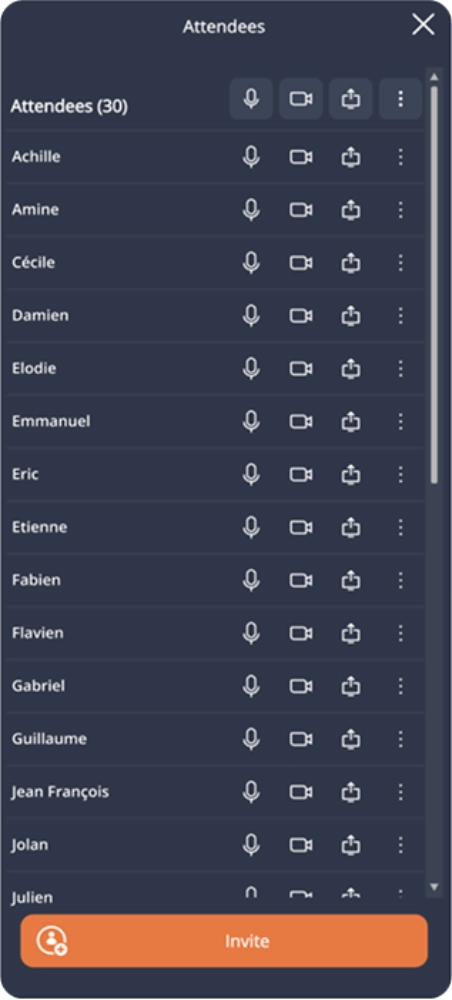
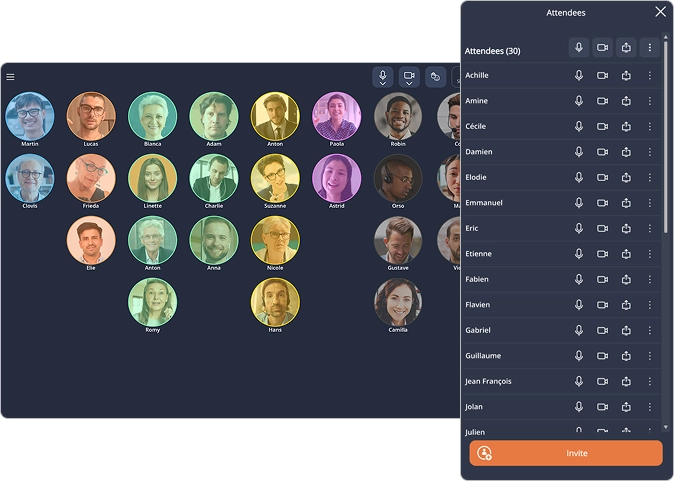
Meeting participants must confirm their identity in order to access the following :
- their personal account,
- the list of scheduled meetings,
- the directory of contacts (first and last names),
- and the instant messaging feature.
Virtual waiting room
In the case of web access to a Tixeo meeting, the guest enters the PIN code received by email and enters a virtual waiting room. The organizer checks the attendance request and approves or disapproves it.
Participants’ rights
When they join a Tixeo videoconference, participants have only minimal rights:
- communicate by audio, video or messaging,
- view shared documents.
- in Conference mode, only messaging is available to participants.
Le participant à une réunion doit confirmer son identité afin d’accéder :
- à son compte personnel,
- à la liste des réunions,
- à la liste des noms et prénoms de ses contacts,
- et à la messagerie instantanée.
Salle d’attente virtuelle
Dans le cas d’un accès web à une réunion Tixeo, l’invité renseigne le code PIN reçu par mail et entre dans une salle d’attente virtuelle. L’organisateur vérifie sa demande de participation et l’approuve ou la désapprouve.
Droits des participants
Lorsqu’ils entrent dans une visioconférence Tixeo, les participants ne possèdent que des droits minimaux, à savoir :
- communiquer en audio, vidéo ou par messagerie,
- visualiser des documents partagés.
- en mode Conférence, seule la messagerie est disponible pour les participants.
Access privileges and permissions
With Tixeo, 5 permission levels are clearly defined to prevent security breaches and unauthorized access.

The administrator
Manages subscription and meeting server settings, appoints managers and ensures the technical maintenance of the system.

The organization manager
Manages license and meeting server settings, and can delegate user management and profile configuration.

The profile manager
Creates and manages an organization's profiles.

The user manager
Manages a server's user database, adds or removes accounts (Tixeo PrivateCloud or TixeoServer only).

The user
Can organize meetings, moderate one or several Workspaces, and join meetings as a guest.
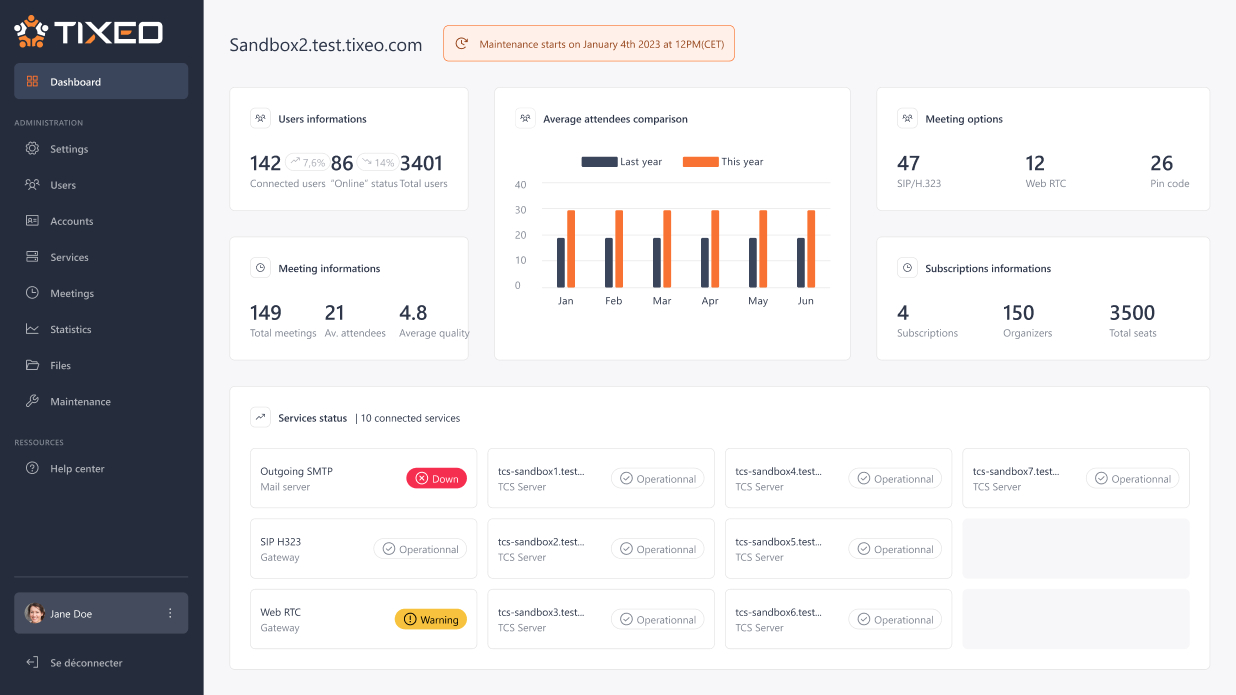
Users can monitor more or less detailed statistics on the solution's usage based on their access privileges.
Discover video conferencing statistics trackingA lost or stolen device?
Easily manage the devices connected to Tixeo

Multiple devices
connected to the account

Loss or theft reported
directly by the user

Subscription manager notified.
Immediate alert

Access is revoked,
data is protected
Each user can connect multiple devices to their Tixeo account. In case of loss or theft, the user reports it directly from their account: the organization manager is notified and proceeds with revocation.
The conversation history in Workspaces remains intact and accessible from another device.
The benefits of controlled access management with Tixeo
Seamless security
Meeting security is configured automatically through profiles. Access conditions, authorized features, infrastructure used: everything is already set. No manual adjustments, no risk of oversight or error.
Regulatory consistency
With profiles defined by the profile manager and applied by organizers, your compliance requirements apply to every meeting, regardless of who organizes it, with no gaps between teams or sites.
Streamlined device management
The organization manager has a full view of registered devices and can remove any of them at any time, instantly revoking the associated access rights.
Data protection
The compartmentalization of Tixeo meetings ensures that audio, video and shared documents are accessible only to authorized participants, significantly reducing the risk of data leaks.
Participant control
When meeting access does not require a personal account, guests pass through a virtual waiting room where the organizer manually approves each participation request before any access to the exchanges.
Enhanced authentication
Tixeo offers several authentication levels: through a personal account or a unique PIN code, from the software or a web browser, to secure access to every meeting.

Since 2017, the French National Cybersecurity Agency (ANSSI) has renewed Tixeo's CSPN certification three times, a proof of reliability and commitment to cybersecurity.
For a CIO or a Security Officer, protecting access to corporate networks and resources is a top priority.
Whether deployed in the cloud or on-premise, Tixeo integrates seamlessly with your LDAP or Active Directory systems.
The organizer controls their meeting
Only the organizer holds all the rights in a meeting
to keep an eye on participants, before and during the exchanges.
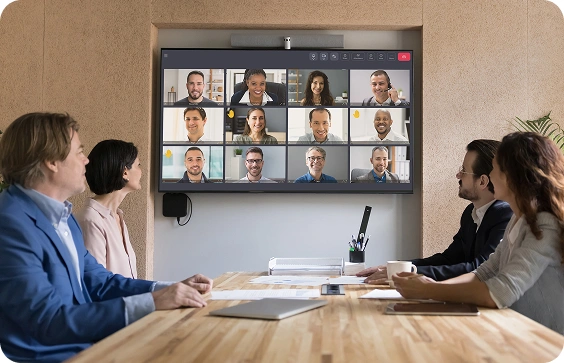
Organizer rights
- Share documents (screens, applications, files…),
- Grant sharing rights to another participant,
- Remove the right to speak, or even the right to display the camera,
- Exclude a participant,
- Cancel a participant's invitation.
With Tixeo, an organizer can delegate the organization and management rights of a meeting from the very planning stage.
Meeting compartmentalization
Meeting separation is a fundamental requirement for Tixeo to prevent data leaks.
Why does it matter?

Session isolation
Every meeting runs in its own independent process: video and audio streams, along with shared documents, are accessible only to authorized participants.

No traces left behind
As soon as the meeting ends, all data associated with the video conference (history, messaging, files, recordings…) disappears. It is impossible to access data from one session in another.

Enhanced security
in physical meeting rooms
They would only see an unreadable sequence of digits, since they do not have your key.
At your next login to the software, a new encryption key will be assigned to you.
Zoombombing, an ongoing scourge
"Zoombombing" is an unwanted intrusion into an online meeting,
generally caused by a lapse in member rights and access management
and the mass sharing of a simple meeting link.
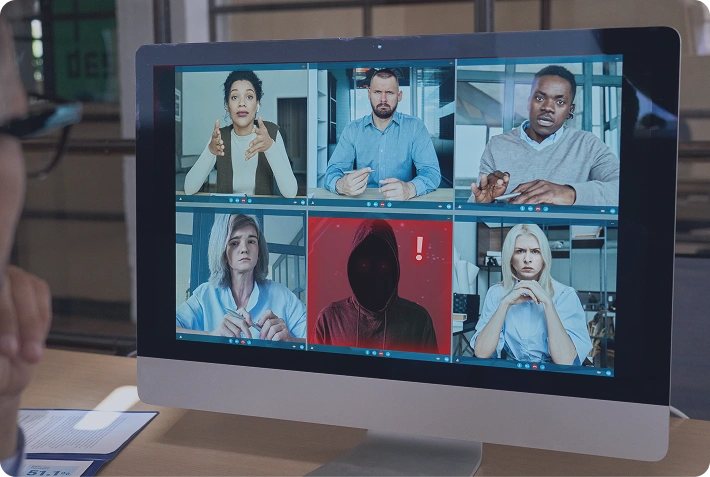
It can lead to:
- disruption of the meeting proceedings,
- leaks of confidential information,
- shock or offense to a group of underage or unsuspecting individuals,
- negative impact on the reputation of an organization or public administration, whose liability may be at stake.
2 examples of zoombombing:
- A video conference held by the then French Minister of Industry interrupted three times by pornographic videos, as the minister was addressing 200 voters from his constituency.
- An online meeting of the U.S. Federal Reserve, attended by around a hundred representatives of major American banks, was disrupted by an individual's intrusion and the broadcast of offensive videos.
How to prevent intrusions in video conferences?
Secure by design
architecture
A Secure by Design video conferencing solution, like Tixeo, integrates security criteria at every stage of its development.
Control of meeting
rights
The organizer must remain in control of their video conference, thanks to advanced rights management that optimizes meeting efficiency.

Employee awareness
With the rise of AI and deepfakes in video conferencing, employee training is essential to maintain the right security reflexes.
Enhanced security
Tixeo's Enhanced Security feature lets you require a secret access code before joining a critical exchange with one or more participants.
For security reasons, it is not advisable
to share an online meeting invitation link too widely.
Tixeo, compliant with official recommendations

The European Union Agency for Cybersecurity (ENISA) and CISA (Cybersecurity and Infrastructure Security Agency) recommend a set of features for secure video conferencing tools, such as:
- the virtual waiting room, to see and screen participants attempting to access your event before granting them access,
- participant rights management (permissions for screen sharing, recording, or file sharing),
- the ability for the organizer to remove one or more unwanted participants from the video conference.
With Tixeo, benefit from these security features by default, ensuring the confidentiality, integrity, and availability of your most critical online communications.
Organizations operating in sensitive sectors today rely on Tixeo to secure their most confidential internal and external exchanges.
Everything you need to know about access and rights management
Defining access management
What is access management?
Access management consists in controlling user permissions to access systems, data and IT services, often through an Identity and Access Management (IAM) solution.
What are the best practices for Identity and Access Management (IAM)?
Best practices include centralized identity management, the use of multi-factor authentication, and the implementation of strict security principles.
Implementing an IAM solution relies on centralized management, rigorous management process implementation and a tailored cybersecurity policy.
Which tools are used for access management?
IAM management software, PAM (Privileged Access Management) systems and advanced access control solutions. In addition, regular access audits should be conducted to detect anomalies.
How does Single Sign-On work?
Single Sign-On (SSO) is a fast method that streamlines the login process by allowing users to use a single digital identity to access multiple applications.
Access management in video conferencing
Why is access management a critical issue for online meeting tools?
In a world where cyberattacks are on the rise, implementing an effective security policy is essential to reduce hacking risks.
Organizations share sensitive information during video conferences, which makes them attractive targets. Recent zoombombing incidents highlight the importance of effectively managing access challenges in online meetings. Indeed, poor management of user roles can lead to data leaks, compromising information security. Setting up an access and rights control system is an essential issue and an important step in software design to prevent unauthorized access risks.
How to secure access to video conference data?
Several rules help avoid zoombombing situations. Access management policy is fundamental to protecting data. With Tixeo, secure access relies notably on multi-factor authentication (MFA), permission management, rights control and a virtual waiting room with access via PIN code or unique identifier.
Tixeo also integrates advanced access and rights management as well as meeting compartmentalization. Security profiles are offered to adapt protection to the criticality of exchanges. Access privileges are assigned based on roles within the organization, for precise and effective permission management. Finally, it is recommended to limit the sharing of meeting connection links to secure access.
What are the risks of poor access management?
Sharing a meeting connection link has become widespread. However, the massive distribution of these invitations exposes organizations to zoombombing and data theft risks. Unauthorized intrusions into highly confidential or secret communications can have serious consequences on an organization's reputation or even national stability. For example, in 2024, a confidential video conference between German army officers concerning the war in Ukraine leaked and triggered diplomatic reactions.
The solution chosen by organizations must demonstrate regulatory compliance regarding cybersecurity and data protection.
Stakes and challenges of access and rights management
How can you ensure that your organization's security rules are properly applied when organizing a Tixeo meeting?
In large organizations, configuration discrepancies between teams are one of the main sources of vulnerability: a sensitive misconfigured meeting, screen sharing enabled by default, or external access left open can create security flaws. Access management also involves standardizing the conditions under which each video conference is held.
With Tixeo security profiles, the parameters for each type of meeting are defined upstream. Organizers apply them without manual configuration. The organization's security policy applies systematically, without depending on each user's reflexes.
What are the challenges of access management?
The first challenge is organizational: in a hybrid work environment, teams are dispersed, interlocutors multiply and meetings take place on a variety of devices, across heterogeneous networks. Maintaining a consistent level of security in this context requires access rules to be defined and enforced independently of individual behaviors.
The second challenge is technical: collaborative tools have become priority targets for attackers. Meeting streams, shared files and integrated messaging concentrate sensitive information and are often less well protected than traditional information systems.
Tixeo addresses both challenges: security profiles standardize access conditions for every type of meeting, while end-to-end encryption applies by default to all exchanges (video conferencing, messaging, files and the virtual open-space of Workspaces). With meeting compartmentalization and simplified management of connected devices, Tixeo prevents intrusions.