
MEETING ACCESS
Instant access,
the same security
Browser, app or meeting room system:
your teams and your external contacts join the same secure meeting.

Organise or join a meeting with ease
Whether it's a sensitive meeting with external partners or a progress update with an internal team, from a web browser or from the Tixeo app, you have all your collaboration features at hand (video conferencing, Workspaces, files, instant messaging) and the same end-to-end encryption, enabled by default, whatever the number of participants.

From a web browser
- Nothing to install on the computer, and no account required for your external contacts.
- You create your meeting, run it, and find your Workspaces, messages and files.
- End-to-end encryption runs on your computer, in your browser tab.
Your communications today, still protected tomorrow
The browser experience includes a key exchange that resists quantum attacks
Explore Tixeo's security
From the Tixeo app
- Installed on your computer, it stays open in the background: a space dedicated to your conversations.
- The heart of Tixeo's technology, developed by its own R&D teams: from capture to encryption, every link in the chain stays under control.
- Download the app in a few clicks, then sign in to access your meetings and Workspaces.
On all your devices, without exception
A native client for every operating system


The security conditions of a meeting are set in advance in the profile manager, for each type of exchange: the administrator decides whether to enable certain access methods, such as web browser access. The organiser then selects the profile that matches the sensitivity of the discussion, and the settings apply automatically.
Collaborate on the move
Your teams are no longer confined to the office or a meeting room to work together. With the Tixeo mobile app, you can join your meetings, check your Workspaces and continue your conversations on Android and iOS, with the same level of security as on your computer.
If your connection is unstable, your communications stay smooth, with no drop-outs.
Discover Tixeo's technological performance
Tixeo fits into your existing environment
SIP room systems
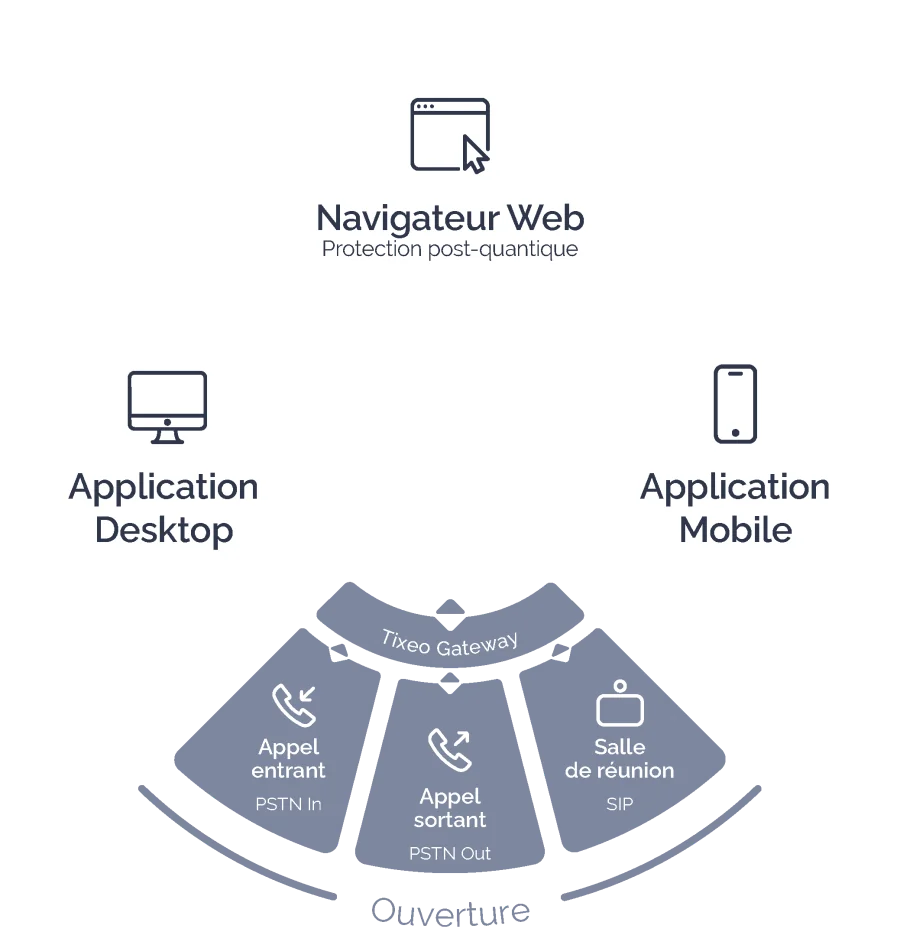
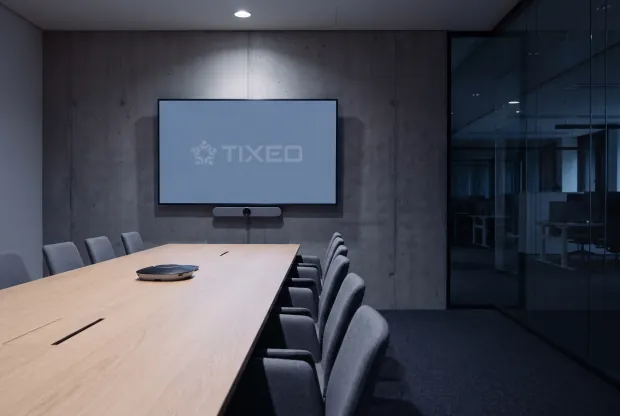
Your staff join their Tixeo meeting or Workspace from the video conferencing systems already installed: Poly, Cisco, LifeSize, Huawei or Avaya. The TixeoGateway bridges Tixeo's security architecture and the market's standard protocols, while isolating the secure Tixeo network from the vulnerabilities specific to those protocols.
Outlook plug-in
Schedule your Tixeo meetings directly from your Outlook calendar. Someone with delegate access to another person's calendar can create and manage meetings on their behalf, with no extra rights to configure in Tixeo. A typical case is an executive assistant organising meetings for a senior manager.
External directories
Connect LDAP, AD or SCIM directories to Tixeo to collaborate easily with all your teams. When you add participants to a meeting or a discussion group, the directory's full contact list is displayed: search for and invite people who don't use the platform yet.
SSO and multi-factor authentication
Authentication is handled by your organisation's identity provider. Several providers can be configured, and your existing policies apply without exception: multi-factor authentication, hardware keys, conditional access.
Inbound and outbound phone calls
When the organiser enables phone access, you join your Tixeo meeting by dialling a simple number. From the app or a browser, you can also make and receive calls to and from phone numbers and meeting rooms.

CSPN-certified by ANSSI four times since 2017
Since 2017, Tixeo has been awarded the CSPN (First Level Security Certification) four times by ANSSI (France's Cybersecurity Agency). The certification covers Tixeo servers, the native Windows, macOS and Linux clients, and all real-time streams. Tixeo's cybersecurity expertise is valued within many French and European associations.




Everything you need to know about accessing Tixeo meetings
-
Can I organise and run a meeting from a browser?
Yes. From a browser, you create a meeting, run it and find your Workspaces, messages and files, just as in the app. Browser access must be allowed by the security profile chosen for the meeting.
-
Is encryption the same in the browser as in the app?
Yes. The same Tixeo end-to-end encryption technology applies, whatever the number of participants. What sets the two apart is not the level of encryption but the degree of control over the device: browser access requires no device management. It is up to the administrator to decide, profile by profile. The key exchange has also evolved: for browser access, it now includes a mechanism that resists quantum attacks.
-
Which browsers are supported?
Chrome, Firefox and Edge, in their up-to-date versions.
-
Does an external contact have to create a Tixeo account?
No. A guest can join the meeting with the PIN code received by email, with no account and nothing to install. They wait in a virtual waiting room until the organiser approves their request to join. An authenticated participant goes straight in, under the conditions set by the meeting profile.
-
Can browser access be restricted to certain users?
Yes. It is enabled on the server, then allowed profile by profile. A meeting whose profile does not allow it can only be joined from the app.
-
What is TixeoGateway?
The TixeoGateway universal video conferencing gateway connects Tixeo to other video conferencing systems that use the standard SIP or H.323 protocols (Poly, Cisco, LifeSize, Huawei, Avaya), handles inbound and outbound calls to and from phone numbers and meeting rooms, and records video conferences. It is the component that makes Tixeo interoperable with your existing equipment or that of the people you work with.
-
Is Tixeo protected against future quantum attacks?
A communication intercepted today could be decrypted tomorrow, once sufficiently powerful quantum computers exist. For exchanges whose confidentiality must hold for years, the threat is not in the future: it is already here. Tixeo is not waiting. The risk does not lie in stream encryption, whose algorithms already resist this type of attack, but in the exchange of the keys that protect them. That is where we act: Tixeo's key exchange includes a mechanism that resists quantum attacks, rolled out first on browser access. What you exchange today stays protected, including against tomorrow's computing power.
-
What are the server requirements?
Browser access requires a Tixeo server running version 18.1 or later. Your administrator can check the deployed version from the administration console.

An independent French company and a leading player in cybersecurity in France, Tixeo guarantees the performance of your online communications and the security of your data.
Its R&D teams develop innovative video conferencing technology, built on accessibility and technical excellence criteria, to meet the most demanding requirements.