
Technological performances
Innovation at the
service of your
communications
Travel, office, remote work, crisis management:
Tixeo’s secure videoconferencing adapts to your needs and facilitates collaboration.
Choose reliability
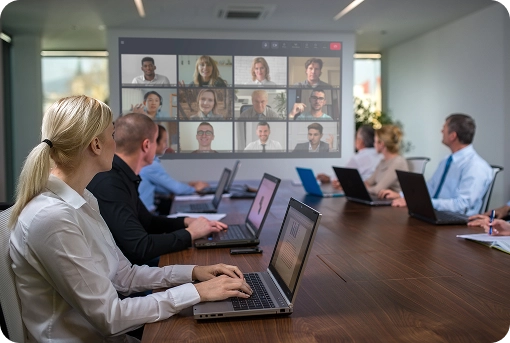
Performance and security every day
Every day in your work, you need to rely at any moment on a high-performance, secure videoconferencing solution.
For 20 years, Tixeo has been delivering robust and innovative technology, ensuring smooth collaboration in all situations.
Your videoconferences remain stable in all conditions
No interruptions.
Tixeo optimizes video streams to adapt to your environment.
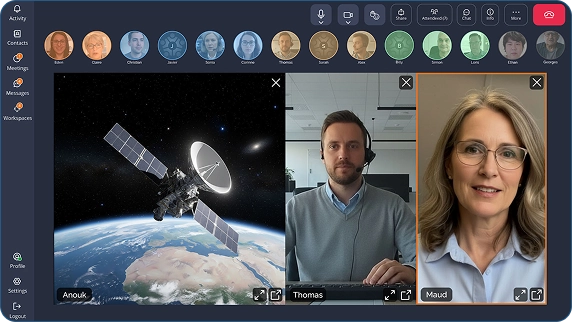
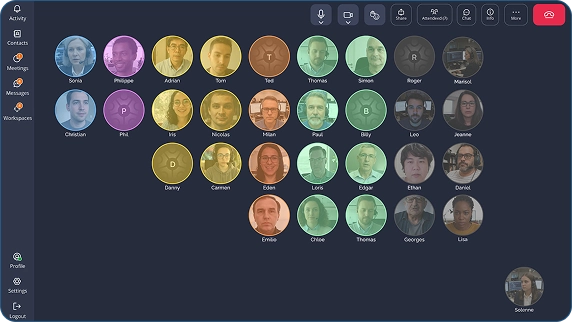
SVC on Demand technology by Tixeo

- Your network quality,
- Your CPU performance,
- And even the size of your correspondents’ video windows.
The best audio and video quality, wherever you are
Tixeo is the only secure videoconferencing solution
to integrate the QUIC network layer into its technology.
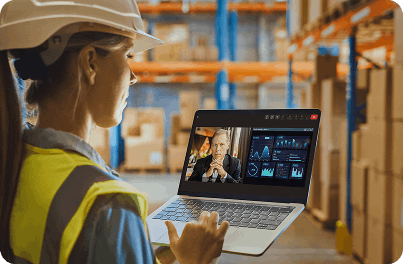
Your connection is unstable and you’re attending an online meeting?
Yes, it’s possible! With Tixeo, even under extreme network conditions, you can continue your audio and video exchanges without experiencing excessive latency.
Enjoy smooth communication with the highest audio and video quality, even when your connection is unstable.

Innovation for security and performance
Tixeo has implemented unique new behaviors on the QUIC layer, in partnership with researcher François Michel, a QUIC expert from the University of Louvain in Belgium. Thanks to this technological innovation, your Tixeo videoconferencing communications are more dynamic and more secure.
The advantages of Tixeo’s secure videoconferencing
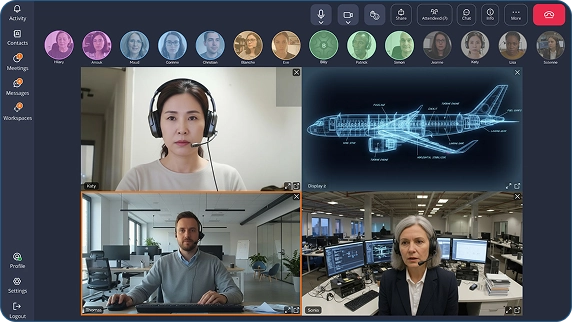

Reduce the noise and cancel the echo
In videoconferencing, audio quality is undoubtedly more important than video quality. If your contact’s voice crackles, cuts out, or suffers from echo, your conversation quickly becomes difficult.
Tixeo’s audio stack is built around the latest low-latency codec (OPUS) and leverages state-of-the-art noise reduction and echo cancellation algorithms.

Effortlessly share your screen or an application
Fast and smooth screen sharing is essential for productivity.
The majority of videoconferencing solutions transmit screen sharing as a simple video stream, which can make it hard to read. With Tixeo’s desktop and application sharing technology, you can share any type of content (multimedia or office documents) smoothly, while maintaining perfect text readability.
Need to assist a colleague? With Tixeo’s screen sharing, you can take control of their screen (with their permission).

Collaborate securely
The effectiveness of your remote collaboration should never come at the expense of your security — and vice versa!
Tixeo automatically adapts to your network restrictions: users can easily join a meeting without any specific configuration. No port opening is required.
CSPN-certified by ANSSI since 2017
Since 2017, Tixeo has obtained CSPN certification three times from the French National Cybersecurity Agency (ANSSI), demonstrating its reliability and ongoing commitment. Its cybersecurity expertise is recognized within numerous French and European associations.




Trust our secure and sovereign AI
Save time without compromising your security — Tixeo AI transcribes, translates, and summarizes your meetings.
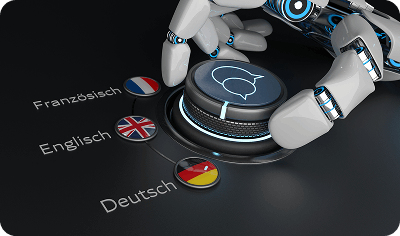
Transcription and Translation
Would you like to keep a complete record of your meeting discussions? The Tixeo AI Transcription feature generates a full transcript of the entire conversation, which you can also translate for your international colleagues.
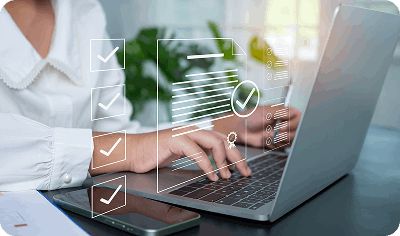
Meeting minutes
No more tedious meeting reports! Save your team valuable time by letting Tixeo AI handle this task. Everyone can then focus on the substance of the discussion instead of taking notes.
The AI Summary feature highlights the key moments of the meeting as well as the actions to be taken afterward, enhancing both team productivity and efficiency.
Transcription and Translation
Would you like to keep a complete record of your meeting discussions? The Tixeo AI Transcription feature generates a full transcript of the entire conversation, which you can also translate for your international colleagues.
Meeting minutes
No more tedious meeting reports! Save your team valuable time by letting Tixeo AI handle this task. Everyone can then focus on the substance of the discussion instead of taking notes.
The AI Summary feature highlights the key moments of the meeting as well as the actions to be taken afterward, enhancing both team productivity and efficiency.
What makes it different from traditional video conferencing AI?
Tixeo’s AI is developed in-house in France by its R&D teams. No data is shared with third parties: once conversations are recorded for transcription or summarization, they are automatically deleted from the server.
What makes it different from traditional video conferencing AI?
Tixeo’s AI is developed in-house in France by its R&D teams. No data is shared with third parties: once conversations are recorded for transcription or summarization, they are automatically deleted from the server.
Tixeo performance at a glance

Seamless communications
even over degraded networks

Optimal use of your CPU resources

Highly resilient infrastructure,
adapted to critical contexts

Simple and intuitive interface

Automatic traversal
of firewalls and proxies

Translation, transcription,
and summary of meetings
with Tixeo sovereign AI
3 key questions to ask yourself before starting your video conference

Am I set up in an appropriate environment?
It’s important to have a comfortable and suitable workspace for your video conferences.
First, avoid sitting with your back to a window, as backlighting can affect your video quality. Conversely, if the lighting is insufficient, it may reduce the visual quality of the conversation. Ideally, position yourself facing a window or another adequate light source.
For confidential or sensitive video conferences, avoid public places or transportation, especially if you need to share your screen.

What’s the status of my connection?
Video conferencing generally requires a high-speed Internet connection, ideally Fiber, since video streams consume a significant amount of bandwidth. Although Tixeo mitigates this risk thanks to its SVC on Demand technology, it’s best to favor wired networks, which provide consistent bandwidth, rather than Wi-Fi connections that can be easily disrupted by other signals (and are also less secure).
For all your online meetings—and especially for confidential video conferences—avoid using public networks to prevent any risk of data interception.

Do I have good audio quality?
In videoconferences, it often happens that a participant tries to speak but cannot be heard by anyone. To avoid this, make sure your microphone is not on “mute” before joining the meeting.
If you’re using a headset, remember that the microphone should never be positioned directly in front of your mouth but slightly above or below it. This prevents unpleasant breathing noises from being picked up.
If you’re using an external microphone on your desk, ensure it isn’t too close to your computer, as it could capture the sound of the fan or your keyboard while typing.
3 key questions to ask yourself before starting your video conference
Am I set up in an appropriate environment?
It’s important to have a comfortable and suitable workspace for your video conferences.
First, avoid sitting with your back to a window, as backlighting can affect your video quality. Conversely, if the lighting is insufficient, it may reduce the visual quality of the conversation. Ideally, position yourself facing a window or another adequate light source.
For confidential or sensitive video conferences, avoid public places or transportation, especially if you need to share your screen.
What’s the status of my connection?
Video conferencing generally requires a high-speed Internet connection, ideally Fiber, since video streams consume a significant amount of bandwidth. Although Tixeo mitigates this risk thanks to its SVC on Demand technology, it’s best to favor wired networks, which provide consistent bandwidth, rather than Wi-Fi connections that can be easily disrupted by other signals (and are also less secure).
For all your online meetings—and especially for confidential video conferences—avoid using public networks to prevent any risk of data interception.
Do I have good audio quality?
In videoconferences, it often happens that a participant tries to speak but cannot be heard by anyone. To avoid this, make sure your microphone is not on “mute” before joining the meeting.
If you’re using a headset, remember that the microphone should never be positioned directly in front of your mouth but slightly above or below it. This prevents unpleasant breathing noises from being picked up.
If you’re using an external microphone on your desk, ensure it isn’t too close to your computer, as it could capture the sound of the fan or your keyboard while typing.

Independent French company, Tixeo has been developing its proprietary secure videoconferencing technology for over 20 years.
Its consistent achievement of certifications and labels is a mark of trust for many companies operating in critical sectors covered by the French Military Planning Law (LPM) and the NIS2 directive.
Independent French company, Tixeo has been developing its proprietary secure videoconferencing technology for over 20 years.
Its consistent achievement of certifications and labels is a mark of trust for many companies operating in critical sectors covered by the French Military Planning Law (LPM) and the NIS2 directive.
Tixeo Technological
Performance Resources
Nothing disrupts a presentation like poor screen sharing quality. Whether it's a document, image, or video, your media must be shared seamlessly and efficiently.
Recording meetings is an essential feature. Tixeo makes it easy to record, view, and download your online sessions directly from the meeting interface.
Sensitive meetings require total confidentiality. Communication flows and meeting metadata must be secured, particularly in shared calendar environments.
Across Europe, in critical sectors such as Defense or Industry, sensitive information may be subject to specific classification rules.
Public service continuity is increasingly threatened by rising cyberattacks. How can organizations manage crises and ensure cyber-resilience?